Home Network Installation in San Diego

A Home Network Starts With Wiring, Not a Router
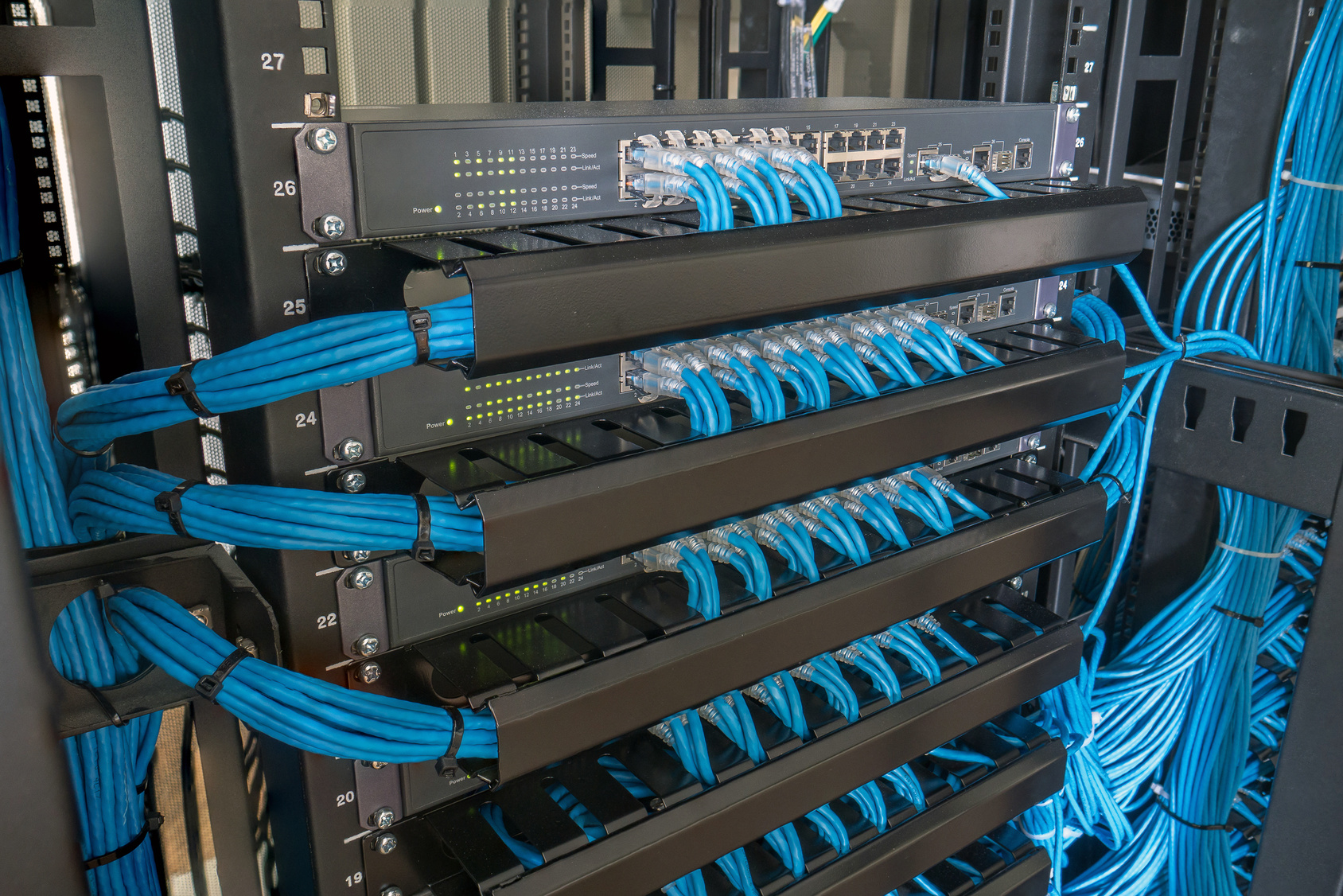
Wi-Fi is a radio signal riding on top of a wired network, not a substitute for one. Every access point, camera, and smart device needs a physical connection back to a switch, and if that cabling is missing or run wrong, everything built on top of it inherits the problem — lights that don't respond, cameras that drop mid-recording, video calls that freeze the second someone else starts streaming. Low Voltage Components designs and installs structured, wired networks as a licensed low-voltage contractor (CLSB C-7 License #1056087), running and terminating the cable that every other system in the house depends on.
Structured Wiring vs. Mesh Wi-Fi
Mesh kits solve a real problem — spotty coverage — by adding more radios, not more capacity. Every device on a mesh network shares the same wireless spectrum, so a house running a dozen cameras, several streaming devices, and a handful of smart speakers can bog down even a good system. Structured wiring solves the actual bottleneck: dedicated Cat6 or Cat6A cable to fixed points throughout the house, so wired devices get full bandwidth and access points only have to cover the space immediately around them. If Wi-Fi drops in the same rooms no matter how many extenders you add, the wiring is the problem, not the router.
The Cheapest Time to Wire Is Before the Drywall
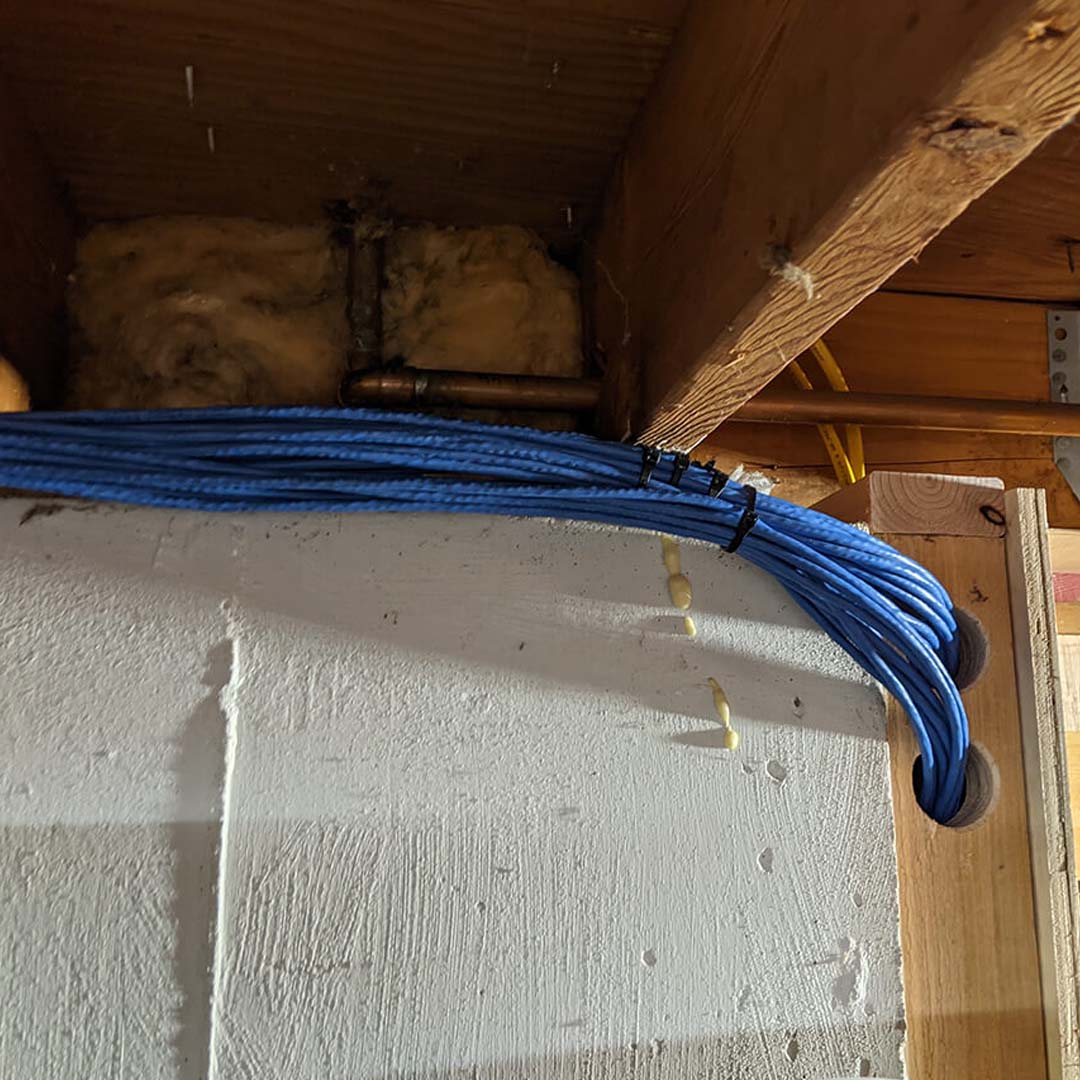
Wiring an existing home means fishing cable through finished walls and patching afterward — labor that pre-wiring skips entirely. Low Voltage Components works with builders early in new construction to plan cable routes, a central distribution panel, and drop locations for every system the house will eventually run, including ones you won't add for years. Cable category matters here too: Cat6 handles most residential needs, while Cat6A gives more headroom in high-traffic rooms like a home theater or office, and the residential cabling standard now sets Cat6A as the minimum for new builds.
Why a Router From the Carrier Is Not a Home Network
The box the internet provider leaves behind is a modem, a router, a switch and an access point crammed into one plastic shell, tuned for a small apartment. In a 3,000 square foot house with stucco walls, a metal-framed staircase and forty connected devices, it fails predictably: dead zones at the far bedrooms, video calls that drop when someone streams, and cameras that go offline overnight and nobody notices until footage is needed.
A designed network separates those four jobs. A proper router handles routing and firewall. A managed switch feeds every hard-wired device. Wired access points — ceiling-mounted, positioned from a coverage plan rather than guesswork — handle wireless. Everything terminates in one enclosure where it can be powered, cooled and rebooted. Once the parts are separate, each one can be replaced or upgraded on its own instead of the whole house depending on a single rented device.
Coverage is the part people get wrong most often. Wi-Fi range is not a number on a box; it is a function of construction. Lath and plaster, stucco with wire mesh, foil-backed insulation, tile and concrete all attenuate 5 GHz far more than drywall, which is why a mesh node two rooms away often measures worse than expected. We plan access point placement against the floor plan and the wall construction, run Cat6a to each one, and power them over Ethernet so there is no wall wart hanging in a hallway.
We also build for the things that will be added later. VLANs keep cameras and smart-home controllers off the same segment as laptops and guests, so a compromised doorbell is not sitting on the same network as a home office. Static addressing on the gear that matters means a camera recorder or an automation processor keeps the same address after a power cut. This is the layer that home automation and camera systems sit on top of, and it is why we usually recommend doing it first.
Frequently Asked Questions
Will mesh Wi-Fi fix my dead zones?
Sometimes, and it is worth trying before spending real money. Mesh works when the nodes have a strong path back to the router. It struggles in exactly the houses that need it most, because a node placed past a stucco wall or a metal staircase gets a weak backhaul and then shares that weak link with everything connected to it. Wired access points remove that problem because each one has its own full-speed connection back to the switch.
How many access points does a house need?
Rough planning figure is one per 1,200 to 1,500 square feet on an open plan, tightening to one per 800 to 1,000 square feet in a house with heavy interior walls, plus one for a detached structure or a covered patio you actually use. We confirm with a survey rather than a formula, because a two-storey with a central stairwell often needs fewer than the square footage suggests and a long single-storey often needs more.
Can you run network cable in a house that is already finished?
Usually yes. Attic and crawlspace access make it straightforward; two-storey homes with no attic above the first floor are harder and sometimes need a surface raceway or a soffit run for part of the path. We tell you which applies after looking, not over the phone. Where a wall genuinely cannot be opened, a wired backhaul to a well-placed access point normally beats extending mesh.
Do I need 10 Gbps at home?
Not to the bedrooms. It is worth it between a network-attached storage device, a rack and a workstation if you move large files, and it is worth pre-wiring for even if the equipment comes later. For everything else, gigabit to the device and a solid wireless plan will outperform a faster switch every time.
Can you separate work devices, cameras and guests?
Yes. We set up separate VLANs with their own SSIDs — typically one for household devices, one for smart-home and camera equipment, and a guest network with no access to either. It costs nothing extra in hardware on a managed setup and it is the single most useful security measure in a connected house.
More answers: see our full FAQ page, browse the areas we cover on the service areas page, or get in touch and we will walk you through it.
Get a Free Quote for Network Design & Installation
Tell us about the project and David will get back to you within one business day with honest next steps and a ballpark. Prefer to talk? Call (310) 702-0504.
"*" indicates required fields
Interested? Let's Talk.
Questions about your project, or ready to get started? Get in touch and we'll walk you through it.